

This guide covers how to use the Request Logs feature in the Alchemy Dashboard to monitor and debug JSON-RPC API requests.
Request Logs in the Alchemy Dashboard helps you build on different blockchains by addressing several common problems:
- Debugging: Request Logs provides an interface to search, filter, and analyze historical API requests, saving hours of manual debugging compared to raw log files or custom scripts.
- Transparency and control: You gain visibility into every JSON-RPC request sent through Alchemy's infrastructure, including successes, failures, and errors, helping identify bottlenecks or misconfigured requests.
- Performance optimization: By analyzing request durations, error rates, and method usage, you can optimize dApp performance and ensure a smooth experience for your users.
Request Logs helps you maintain reliable dApps, reduce downtime, and gain actionable insights into API interactions.
Request Logs feature overview
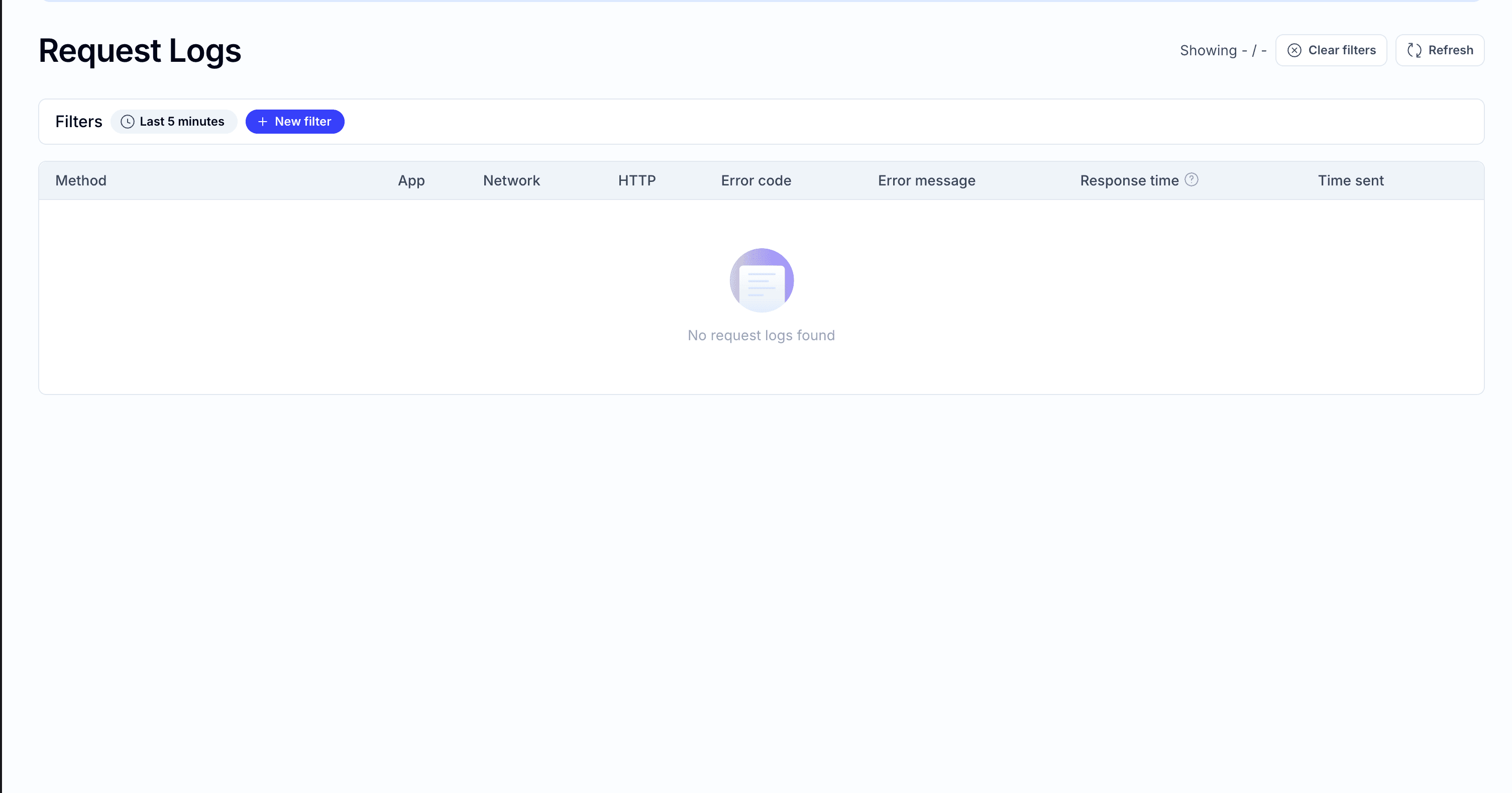
The Request Logs feature, accessible via the Alchemy Dashboard's Request Explorer, lets you view and analyze all JSON-RPC requests made to Alchemy's API endpoints for your application. Key functionalities include:
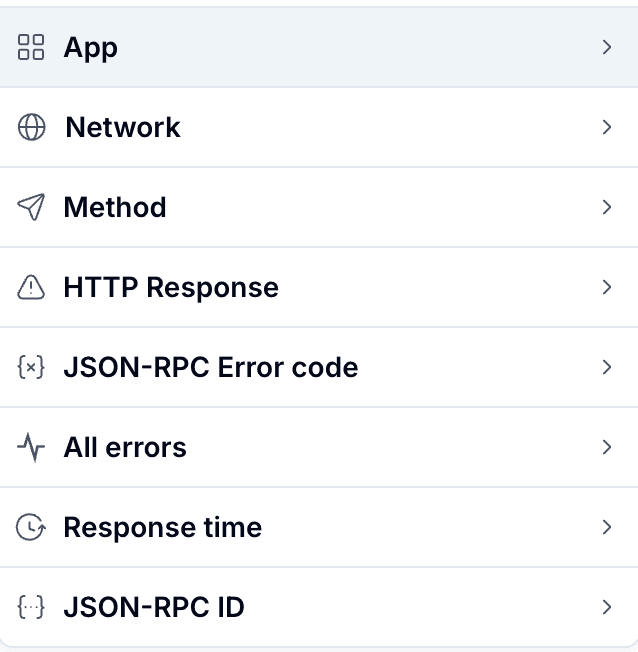
Search and Filter: Filter requests by parameters such as:
- App: Filter by a specific app.
- Network: Filter by a specific blockchain network.
- Method: Specific JSON-RPC methods (e.g.,
eth_blockNumber,eth_getLogs). - HTTP Response: Success (2xx) or error codes (4xx, 5xx).
- JSON-RPC Error code: Filter by specific error codes.
- All errors: See all requests that resulted in an error.
- Response time: Time taken for the request to complete.
- JSON-RPC ID: Filter by a specific request ID.
Detailed Request View: Inspect individual requests to see:
- Request payload and response.
- Error messages (if any).
- Node-specific details or network errors.
To access Request Logs:
- Log in to the Alchemy Dashboard.
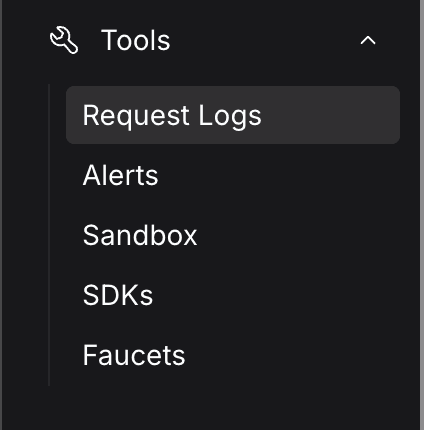
- Navigate to the tools section on the sidebar.
- Click Request Logs to enter the request logs view.
Code samples
Below are code samples to help you interact with Alchemy's API and troubleshoot issues using insights from Request Logs.
Sample 1: Fetching the latest nonce before sending a transaction
If Request Logs show "nonce too low" errors for eth_sendRawTransaction, use this code to fetch the latest nonce:
const { ethers } = require("ethers");
const provider = new ethers.JsonRpcProvider("https://eth-mainnet.g.alchemy.com/v2/YOUR_API_KEY");

async function getLatestNonce(walletAddress) {
  try {
    const nonce = await provider.getTransactionCount(walletAddress, "latest");
    console.log(`Latest nonce: ${nonce}`);
    return nonce;
  } catch (error) {
    console.error("Error fetching nonce:", error);
  }
}

// Example usage
getLatestNonce("0xYourWalletAddress");Usage: Run this before sending a transaction to ensure the correct nonce. Check Request Logs to confirm eth_getTransactionCount requests succeed (HTTP 200).
Sample 2: Batching requests to avoid rate limits
If Request Logs show HTTP 429 (Too Many Requests) errors, batch requests using fetch API:
const apiKey = "YOUR_API_KEY";
const url = `https://eth-mainnet.g.alchemy.com/v2/${apiKey}`;

async function batchRequests() {
  try {
    const batchRequest = {
      jsonrpc: "2.0",
      method: "batch",
      params: [
        { jsonrpc: "2.0", id: 1, method: "eth_blockNumber", params: [] },
        { jsonrpc: "2.0", id: 2, method: "eth_getBalance", params: ["0xYourWalletAddress", "latest"] }
      ],
      id: 1
    };

    const response = await fetch(url, {
      method: 'POST',
      headers: { 'Content-Type': 'application/json' },
      body: JSON.stringify(batchRequest)
    });

    const data = await response.json();
    console.log("Batch responses:", data);
  } catch (error) {
    console.error("Batch request failed:", error);
  }
}

batchRequests();Usage: Batching reduces the number of requests, lowering the chance of hitting rate limits. Monitor Request Logs for fewer eth_blockNumber and eth_getBalance entries.
Pro tips
- Use Specific Filters: Combine filters (e.g., method + error code) to quickly isolate issues in Request Explorer.
- Monitor Regularly: Check Request Logs daily or use Alchemy's Notify API for real-time alerts on errors.
- Leverage Timestamps: Filter by timestamp to focus on specific timeframes when debugging reported issues.
Limits and retention
- Data Retention: Logs are available for up to 10 days. Export logs regularly for longer-term analysis.
- Rate Limits: HTTP 429 errors indicate rate limit breaches. Optimize with batching or upgrade your plan.
- Block Range for eth_getLogs: Limit eth_getLogs block ranges (e.g., 5,000 blocks) to avoid timeouts.
Common issues and solutions
- Issue: HTTP 429 (Too Many Requests) in logs.
- Solution: Use batch requests (see Sample 2) or reduce request frequency.
- Issue: "Nonce too low" errors in eth_sendRawTransaction.
- Solution: Fetch the latest nonce before each transaction (see Sample 1).
- Issue: Empty or missing logs.
- Solution: Verify API key, app, and network filters. Check for Alchemy Dashboard delays during high network congestion.
Additional notes
- Security: Avoid exposing API keys in client-side code. Use HTTP header-based authentication.
- Documentation: See Alchemy's Error Reference for JSON-RPC error codes.
- Support: Contact Alchemy Support via the Alchemy Dashboard or check the FAQ.
With Request Logs and these practices, you can monitor, debug, and optimize your dApp's API interactions for a reliable experience.